
START
Create an account
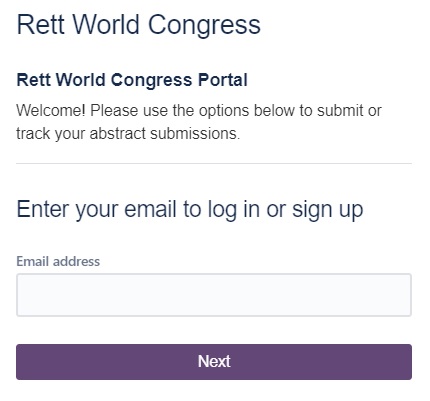
As part of registration to the Rett World Congress, you will have received a link. A direct link to the page is also below:
You can use any email address to create and activate an account on the portal.
Submit Abstract
Submit an Abstract
Once signed in, there will be a single Form/Request that you can click on to begin the submission process – “Abstract Submission”.

Overview and Navigation
Overview of the Form
There are a number of fields to complete.
Fields that are mandatory will have a red asterisk (*) next to their names.
The Presentation Preference and Preferred Stream fields are single-selection fields.
All other fields are either single or multi-line fields.
For the multi-line fields (Author Information, Affiliation/Institution(s), and Abstract fields), you have the option of using plain-text, or you can take advantage of rich-text features.

Feature-rich features
Using rich text fields
The Rich Text ribbon allows you to add the following features to your authors, affiliations or abstract fields:
- Larger text for Headers
- Bold/Italic/Underlining
- Bulleted or numbers lists
- Font Colour
- Hyperlinks/URLs
- Tables, Code snippets, quotations, notices and more.

Ready to Submit
Ready to Submit?
When you have finished filling out the fields, don’t forget to hit the SEND button to submit your abstract!
You will receive an email (against the one you used to access the Portal) with details on your submission!

Checking your submission
Once Submitted… quick layout tips
Once you have submitted your abstract, the page should update to reflect a complete detailed layout of your Submission. Check the screenshot here for details on what’s what.

Feedback and corrections
Made a mistake?
Once submitted, you may contact us (and we may contact you!) by adding comments directly to the portal, OR by responding to any of the emails that originate from jira@rettworldcongress.atlassian.net
(This email is part of the free service that we use as part of the Abstract Management platform!)

Our workflow
Our Workflow
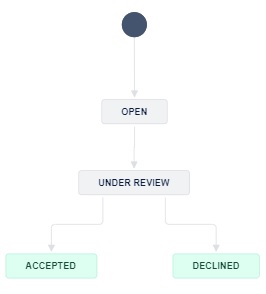
We plan to keep it pretty simple – your Abstract will go to an “Open” queue, before being assigned to one of our experts on the Scientific Panel for review.
You will then be notified if and when your Abstract is Accepted or Declined.
For full details on the terms, conditions and timelines/deadlines, please check our main Call for Abstracts page here.
A Complete Example can be found in PDF format here
Reproduced with thanks to Kingsley Wong, Mohammed Junaid, Scott Demarest, Jacinta Saldaris, Tim A Benke, Eric D Marsh, Jenny Downs, Helen Leonard